What is Table Notification?
In eZee Optimus, the Table Notification feature allows you to display special icons or labels on tables while taking orders.
These notifications help staff quickly identify special situations or events associated with a table.
Examples:
- Birthday Party
- Business Meeting
- VIP Guest
- Anniversary Celebration
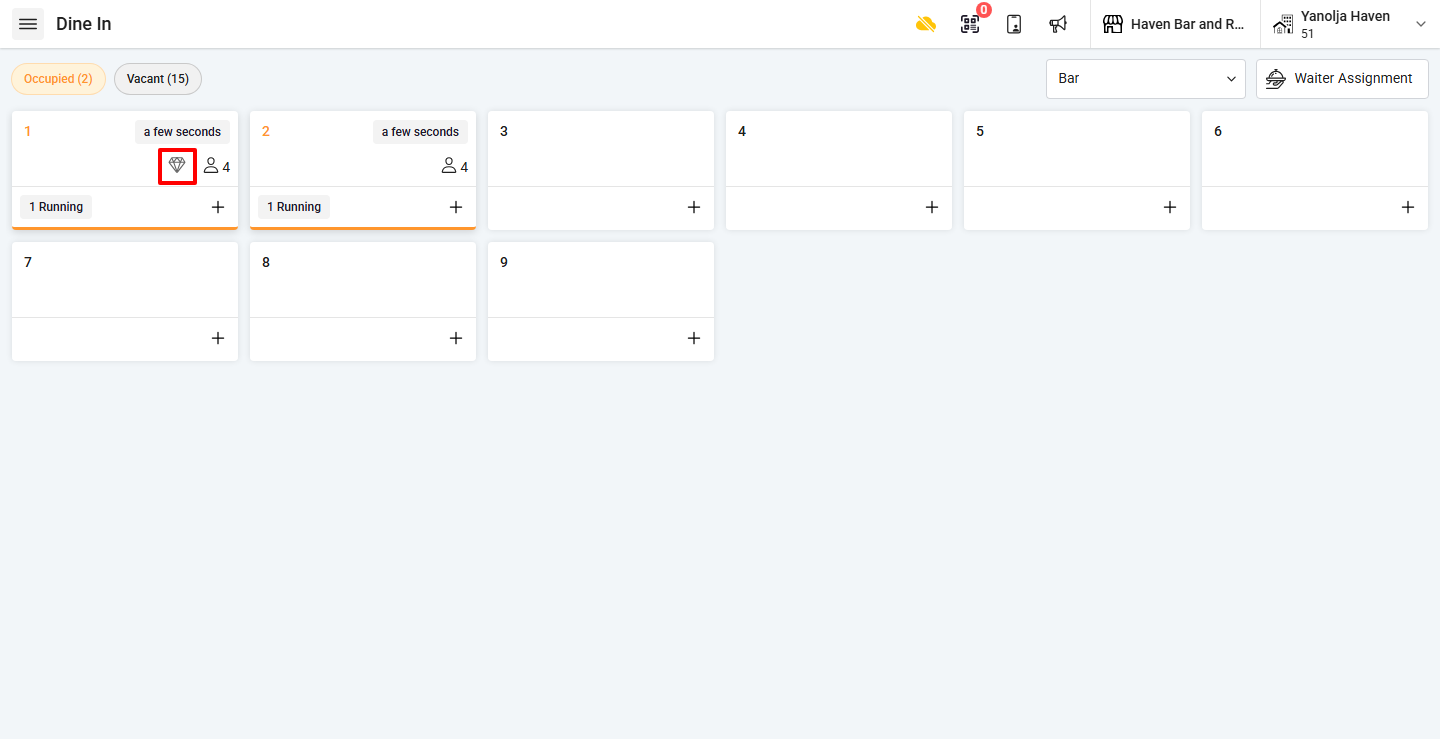
The selected notification icon will appear on the table in the POS interface.
How do I add a Table Notification?
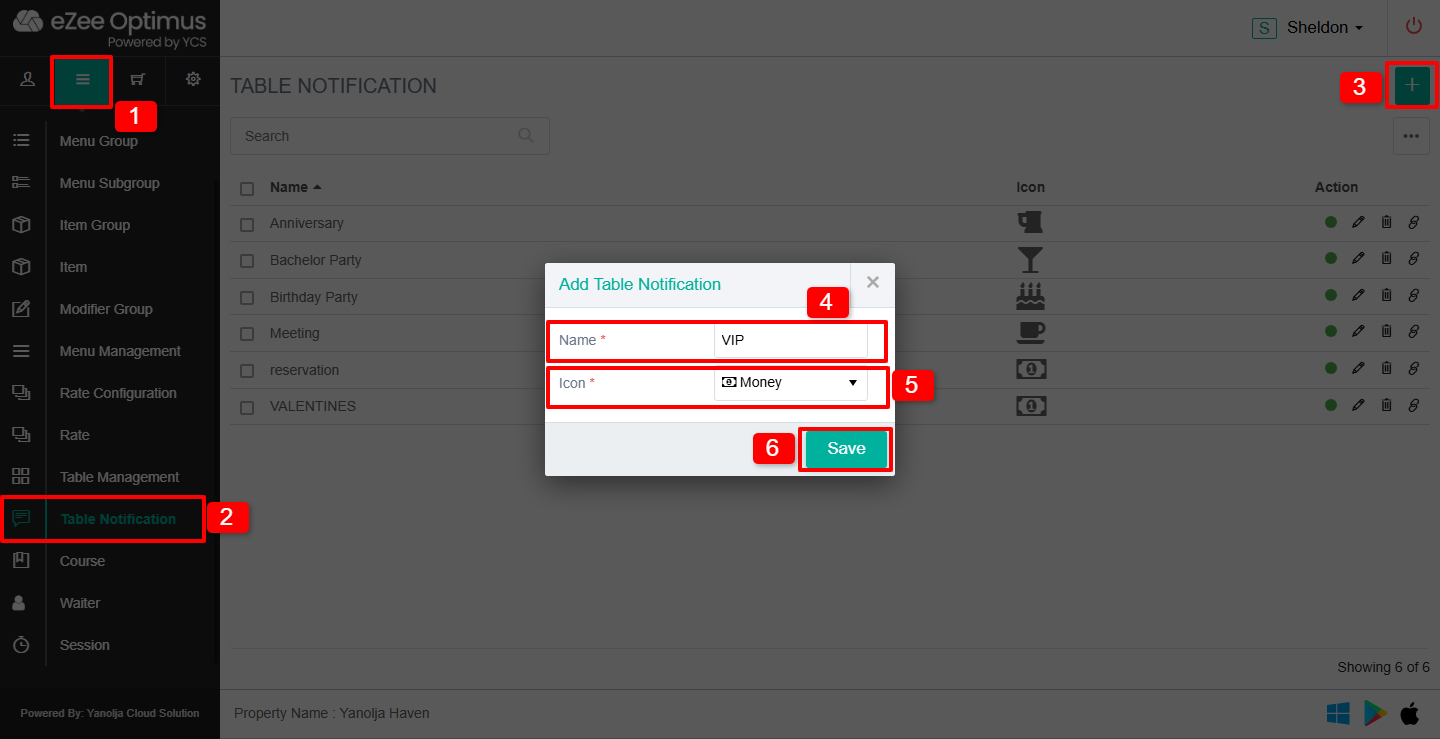
Step 1: Create Table Notification
Switch to Back Office and follow these steps:
1. Click on the ☰ (Three Lines Menu).
2. Click on Table Notification.
3. Click on the “+” button.
4. Enter the Table Notification Name.
5. Select the Notification Icon.
6. Save the notification.
How do I activate Table Notification for an Order Type?
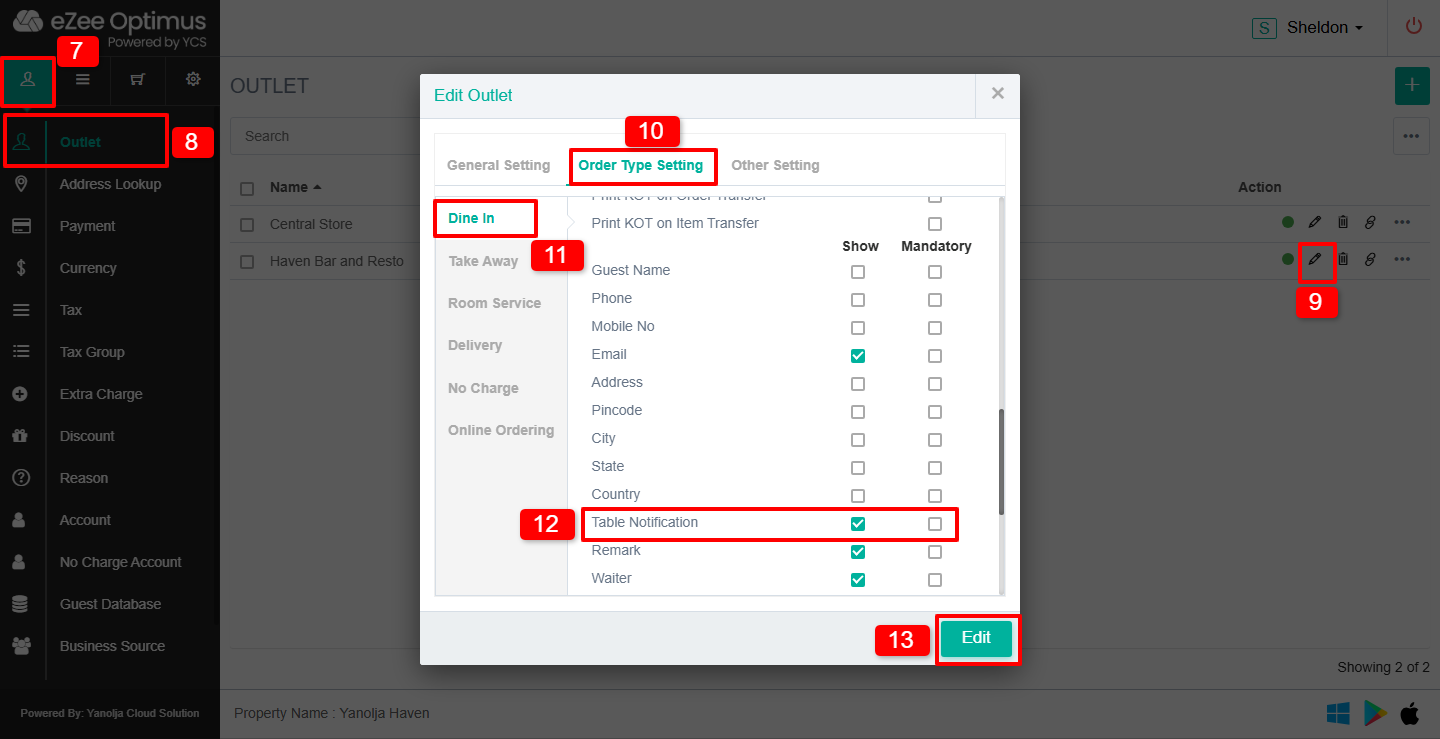
Step 2: Enable Table Notification for Dine-In
7. Click on Master.
8. Click on Outlet.
9. Click on the Pen/Pencil (Edit) icon for the outlet.
10. Click on Order Type Setting.
11. Select Dine In.
12. Under General Settings, locate Table Notification.
You will see two options:
- Show Option: Displays the Table Notification option in the Order Information screen.
- Mandatory: Displays the option and requires the user to select a notification before placing the order.
Select the required option.
13. Click on Edit to save the settings.
When do I select the Table Notification?
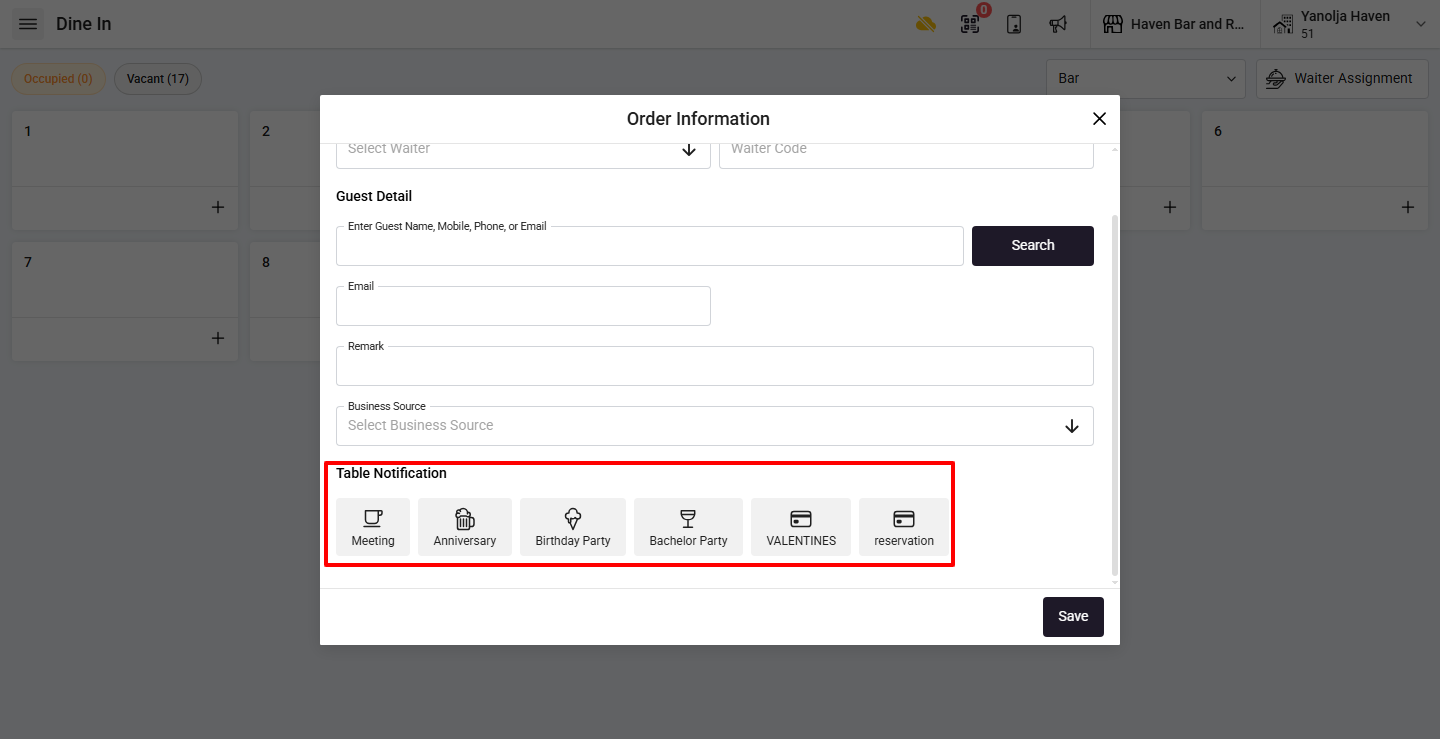
Step 3: Apply Notification During Order
When you start taking an order:
The Table Notification option will appear in the Order Information screen.
Select the appropriate notification before punching the order items.
Once selected, the notification icon will appear on the table
Was this article helpful?
That’s Great!
Thank you for your feedback
Sorry! We couldn't be helpful
Thank you for your feedback
Feedback sent
We appreciate your effort and will try to fix the article