Undoing a Canceled Reservation in PMS
Yes, it is possible to restore a canceled reservation in PMS, but only if the cancellation was made before the night audit.
How to Undo a Canceled Reservation:
- Navigate to Front Office → Reservation List.
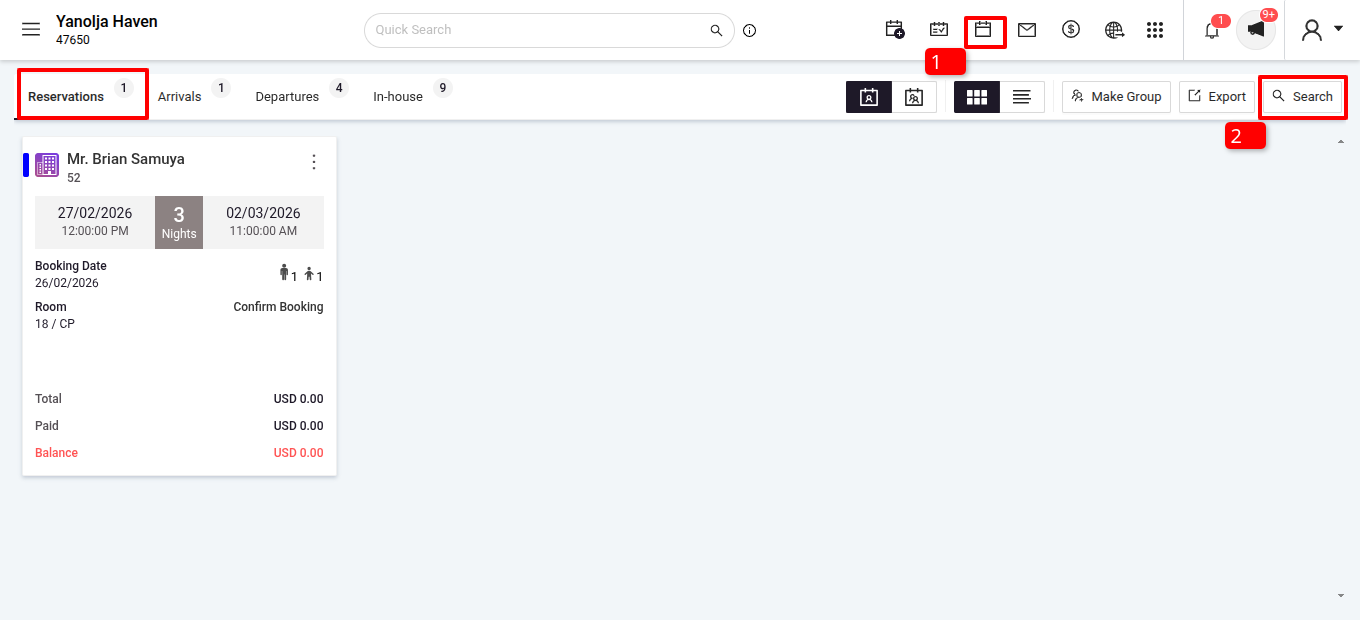
- Search for the Canceled Reservation:
- Click on the Search option.
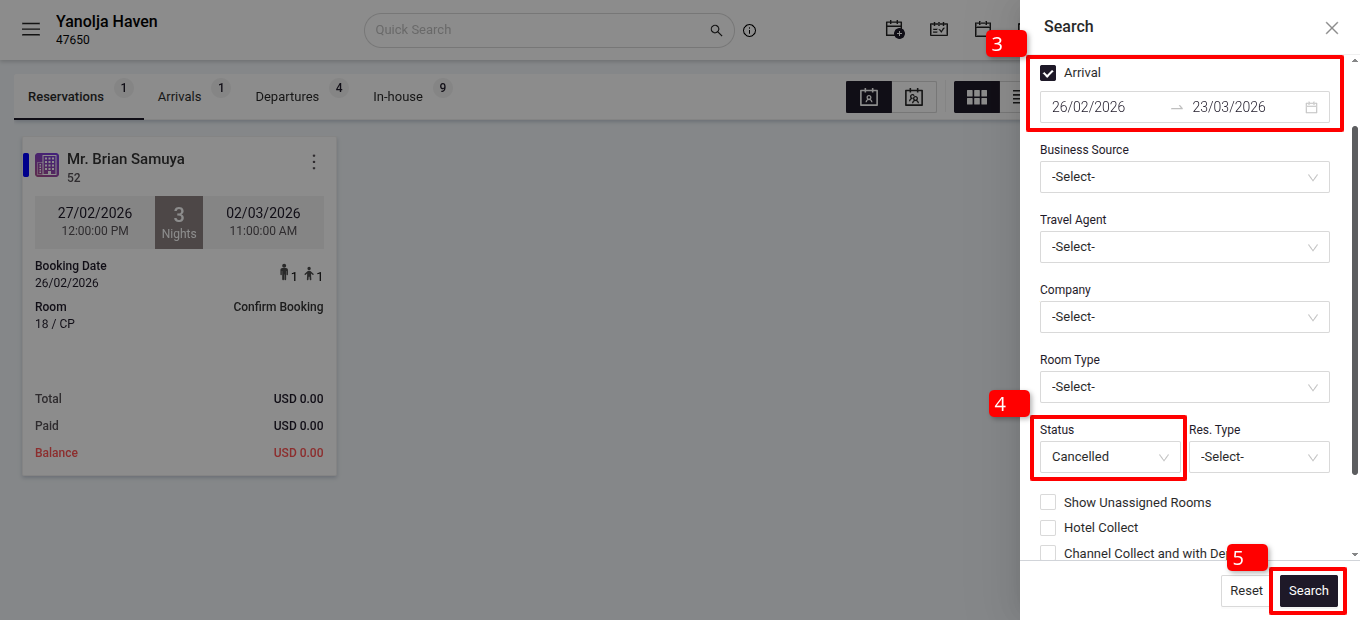
- If the reservation pertains to a Future date, uncheck the Reservation box.
- Search using the Date Arrival.
- Set the Status filter to Canceled for easier identification.
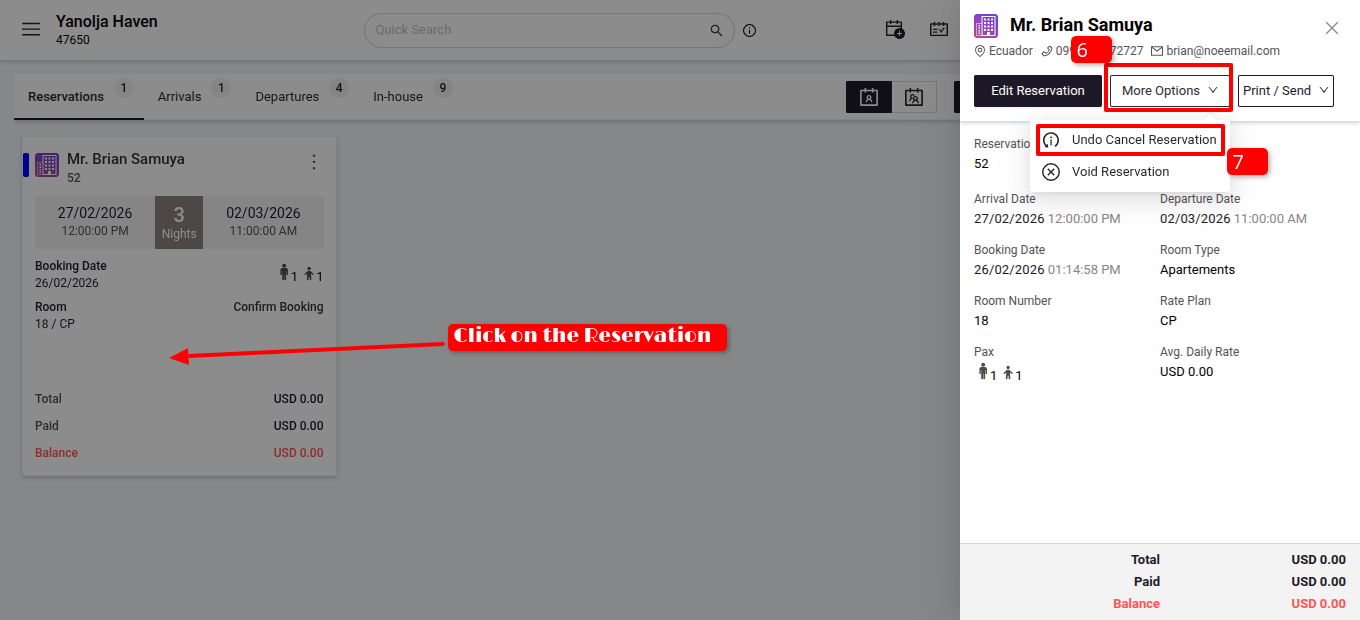
- Open the reservation go to more options and click on Undo Cancel Reservation.
- Confirm the action, and the reservation will be restored.
This option helps hoteliers efficiently manage accidental cancellations and restore bookings when needed.
Was this article helpful?
That’s Great!
Thank you for your feedback
Sorry! We couldn't be helpful
Thank you for your feedback
Feedback sent
We appreciate your effort and will try to fix the article